
Get Cosmos IBC 2026 right
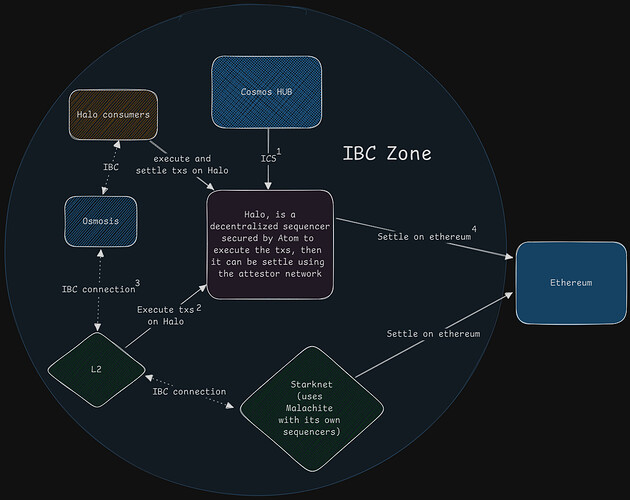
Cosmos IBC (Inter-Blockchain Communication) is a protocol that allows separate blockchains to send tokens and data directly, without relying on a centralized bridge or trusted third party. Before you attempt to build or interact with these connections in 2026, you must understand the underlying mechanics that keep the network secure and efficient.
The core of IBC is the relayer. This is an off-chain service that scans connected chains, observes state changes, and builds proofs to update the target chain. If you are building a dApp, you cannot rely on the blockchain itself to move assets automatically; you need a relayer infrastructure that is reliable, fast, and cost-effective. Choosing the right relayer provider or running your own node is a critical first step.
You also need to configure your chain’s IBC middleware correctly. This involves setting up the client, connection, and channel ports on both the source and destination chains. Misconfigurations here lead to stuck packets or failed transfers. Ensure your chain’s genesis configuration includes the IBC module and that your relayer has access to the necessary RPC endpoints for both sides of the connection.
Finally, test thoroughly on a testnet. The Cosmos ecosystem is fast-moving, and IBC specs evolve. Verify that your token transfers work across different relayers and that your application handles packet acknowledgments and timeouts gracefully. This preparation prevents costly failures when you go live.
Work through the steps
Setting up the Cosmos IBC protocol requires coordinating two distinct layers: the on-chain modules that handle message validation and the off-chain relayers that physically move those messages between chains. Think of the relayer as the courier service and the IBC modules as the secure mailboxes at each end. If either piece is misconfigured, assets get stuck in transit.
1. Install and configure the IBC modules
Before any communication can occur, both blockchains must have the IBC protocol modules installed. These modules act as the standardized ports for data and token transfer. You need to ensure the transfer module is active on both the source and destination chains. Without this, the chains are effectively blind to each other.
2. Deploy or select a relayer service
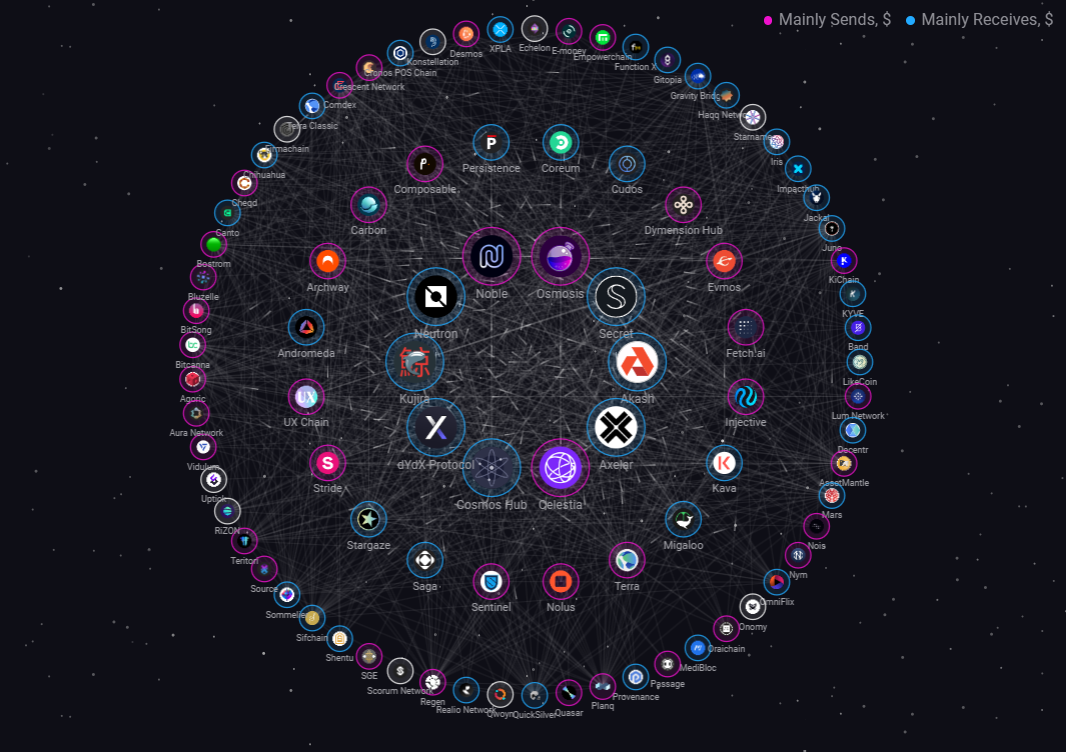
A Cosmos IBC relayer is an off-chain service that scans connected chains, builds proofs, and submits transactions to finalize the transfer. You can run your own relayer for maximum control, or use a managed service for ease of use. Popular options include IBC Relayer and Chainlight. Choose a provider that supports the specific pairs you intend to bridge.
Start by initializing the relayer with the chain IDs of both networks. This creates the configuration files needed to track channel states. Ensure your relayer has access to the RPC endpoints for both chains to monitor for new blocks.

Run the command to create a new IBC channel. This triggers a handshake between the two chains. The relayer must detect this handshake and submit the acknowledgment transaction on the counterparty chain. Wait for the channel to reach the OPEN state before proceeding.
Send a minimal amount of tokens through the new channel. Verify that the relayer picks up the event and submits the proof on the destination chain. Check the destination chain explorer to confirm the tokens arrived in the expected wallet address.
3. Monitor and maintain the relayer
Once the channel is open, the relayer must run continuously to process transfers. If the relayer goes offline, pending transactions will stall. Set up logging and alerts to notify you if the relayer falls behind the current block height. Regular maintenance ensures your bridge remains reliable for users.
4. Secure the configuration
IBC transfers are irreversible. Double-check the channel IDs and port bindings in your configuration files. A single typo in a channel ID can send assets to a non-existent port, resulting in permanent loss. Use testnets extensively before moving mainnet assets. Consider using multi-sig wallets for any administrative keys associated with the relayer.
-
IBC modules active on both chains
-
Relayer synced with both RPC endpoints
-
IBC channel status is OPEN
-
Test transaction confirmed on destination chain
-
Logging and alerting configured
5. Document the channel details
Keep a record of the channel ID, port ID, and connection handle. This information is critical for troubleshooting and for integrating with dApps that need to interact with the bridge. Store these details in a secure, accessible location for your development team.
Fix common mistakes
Cosmos IBC troubleshooting should start with a clear boundary: what is actually broken, and what still works normally. Check the display, network connection, paired devices, app access, and recent updates before assuming the whole system needs a reset. A small connection failure can make the main screen feel unreliable even when the core system is fine. Work from low-risk checks to deeper resets. Confirm power state, safe parking, account access, and signal first. Then restart the interface, wait for it to reload completely, and test the original symptom. Avoid changing multiple settings at once because that makes it harder to know which step actually fixed the problem. If the issue affects safety information, repeats after every restart, or appears with warning messages, treat the reset as a temporary diagnostic step rather than the final fix. Document the symptom and move to official support instead of stacking more DIY attempts.
The simplest way to use this section is to keep the setup small, verify each change, and record the stable configuration before adding optional accessories.
No comments yet. Be the first to share your thoughts!