
Set up the IBC stack
Building a cross-chain app begins with the protocol layer. IBC-Go is the reference implementation for the Inter-Blockchain Communication protocol, handling the handshake, relaying, and packet lifecycle for any chain built on the Cosmos SDK. To prepare your environment for 2026’s expanding interoperability standards, you need to integrate the core library and register the necessary modules in your chain’s application structure.
1. Add IBC-Go to your dependencies
Start by adding the ibc-go module to your project. This version includes the latest ICS (Interchain Standards) updates, ensuring compatibility with non-Cosmos chains and newer relayer protocols. Run the following command in your root directory:
go get github.com/cosmos/ibc-go/v10
This command updates your go.mod file and pulls in the necessary cryptographic and networking libraries required for secure packet transmission.
2. Register modules in app.go
Once the dependency is installed, you must register the IBC modules in your chain’s app.go file. This involves importing the IBC keeper and adding the module manager definitions. The following snippet shows how to integrate the core IBC components into the BeginBlocker and EndBlocker flows, ensuring packets are processed correctly on every block.
import (
    ibckeeper "github.com/cosmos/ibc-go/v10/modules/core/keeper"
    ibctypes "github.com/cosmos/ibc-go/v10/modules/core/types"
)

// In app.go
app.ModuleManager.SetOrderBeginBlockers(
    // ... other modules
    ibctypes.ModuleName,
)

app.Keepers["ibc"] = ibckeeper.NewKeeper(
    appCodec,
    keys[ibctypes.StoreKey],
    app.GetSubspace(ibctypes.ModuleName),
    app.StakingKeeper,
    app.Keepers["upgrade"].Keeper,
)
3. Configure the transport layer
IBC requires a transport mechanism to move data between chains. For Cosmos SDK chains, this is typically the Tendermint Light Client or a custom light client implementation. Ensure your app.toml and config.toml have the correct RPC endpoints configured so the IBC keeper can query counterparty chains. Without a reliable transport layer, your chain cannot initiate or respond to IBC handshakes.
Connect chains via handshake
Establishing a connection between two IBC-enabled chains requires a four-step handshake process. This sequence ensures that both chains agree on the identity of the other and maintain a secure light client to verify state proofs. Without this handshake, no channels or packets can be exchanged.
On the initiating chain (Chain A), a connection handle is created. This action generates a ClientState for Chain B, which Chain A will use to verify proofs sent by Chain B. The transaction is submitted to the IBC module, moving the connection state to INIT.
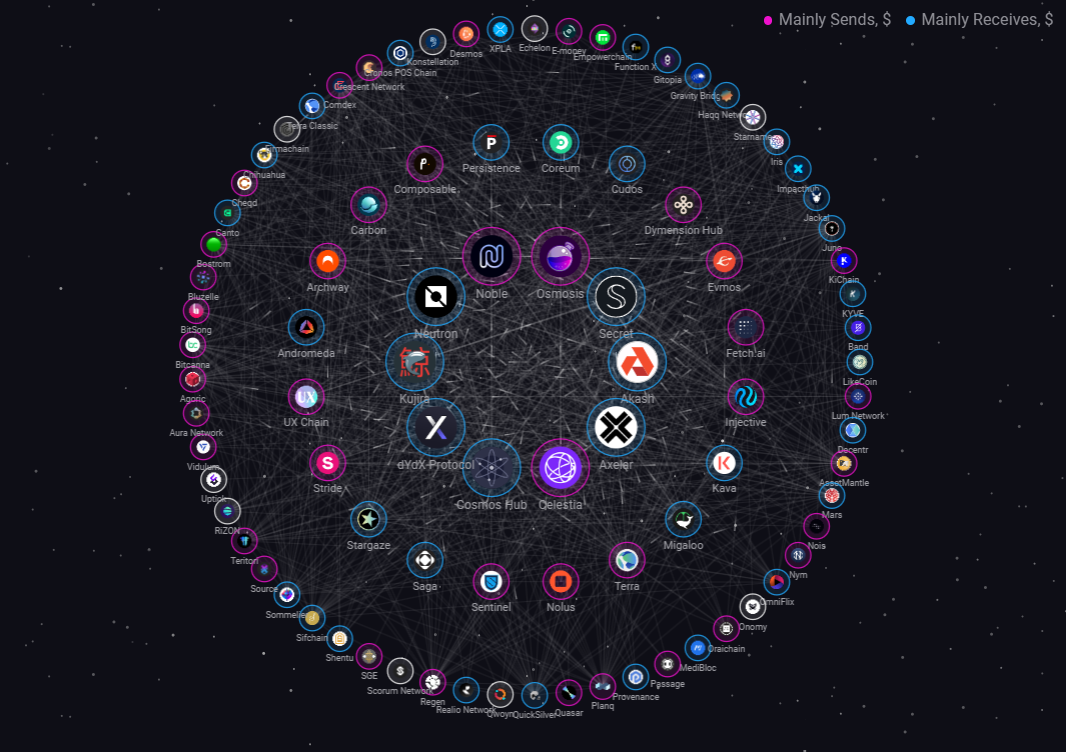
On the counterparty chain (Chain B), a similar connection handle is created. Chain B retrieves the ClientState for Chain A from the genesis or upgrade data. The transaction is submitted to the IBC module, moving Chain B's connection state to TRYOPEN.

Chain A queries Chain B to retrieve the counterparty connection identifier and the ClientState for Chain A. Chain A verifies that the ClientState provided by Chain B matches its own record. If valid, Chain A moves the connection state to ACKOPEN.
Chain B queries Chain A to confirm that the connection state is now ACKOPEN. Chain B verifies that the counterparty has acknowledged the connection. If valid, Chain B moves the connection state to OPEN. The connection is now established and ready for channel creation.
Once the connection is open, you can proceed to create channels. Each channel operates independently within the connection, allowing different applications to communicate over the same secure path. The light client on each chain continuously verifies the latest header of the counterparty chain, ensuring that all cross-chain packets are authentic.
Deploy and tune relayers
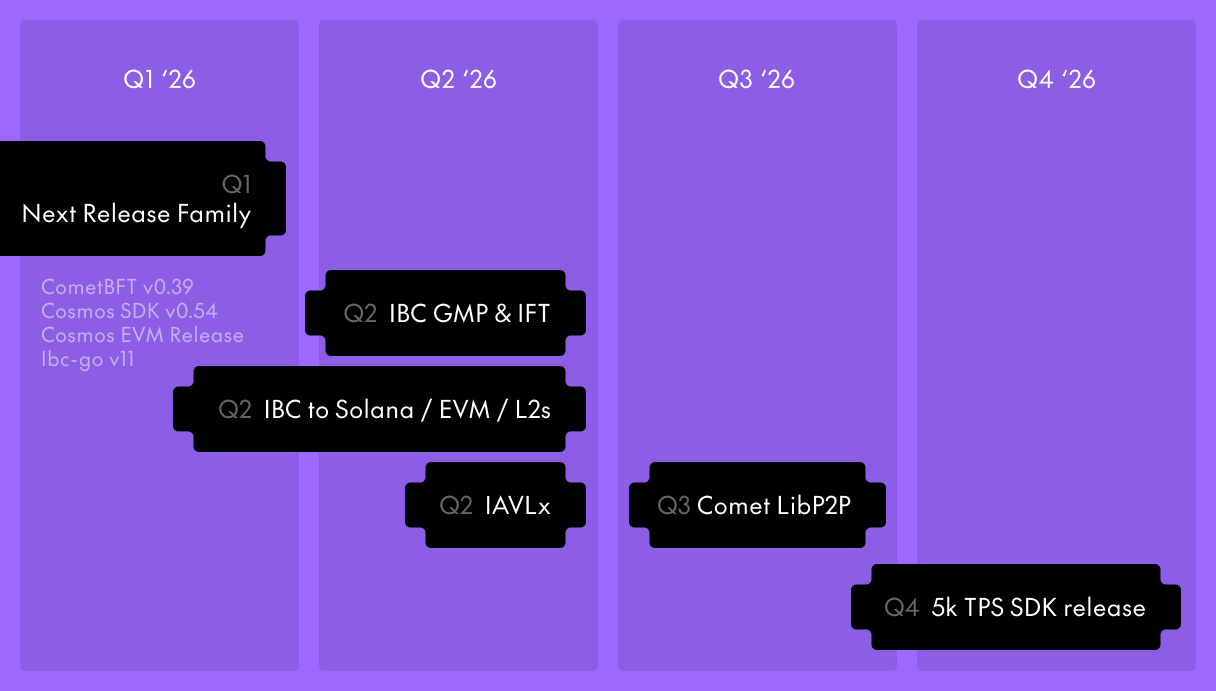
Cross-chain apps live or die by the reliability of their relayers. In the 2026 ecosystem, where IBC connects to Solana, EVM L2s, and various rollups, a single point of failure is unacceptable. You must deploy redundant relayer instances to ensure low-latency packet forwarding and maintain message finality across heterogeneous chains.
Select a production-grade relayer. Hermes remains the industry standard for Cosmos SDK chains, offering robust monitoring and high performance. If your target chain is an EVM L2 or a non-Cosmos chain like Solana, verify that your chosen relayer supports the specific light client proofs required for that network. Rubix is another viable option for specific interoperability needs.
Initialize the relayer and configure the channels between your source and destination chains. Ensure you have the correct chain IDs, RPC endpoints, and keyring passwords. For cross-ecosystem connections, you may need to specify custom light client configurations to handle different consensus mechanisms.
rly chains add -f config.json
rly paths add source-chain destination-chain
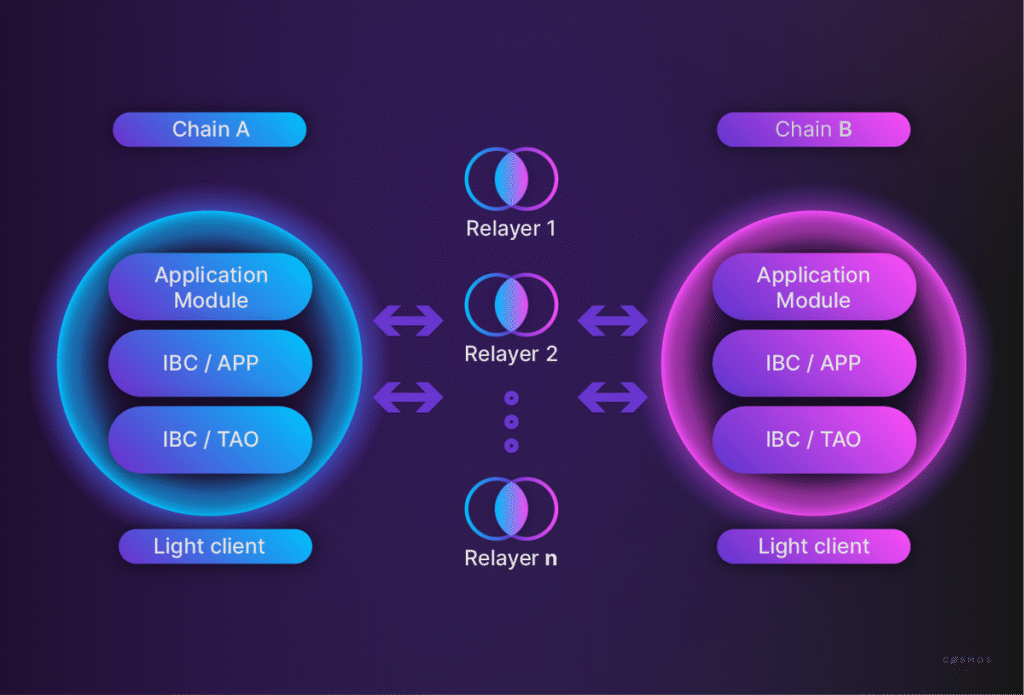
Run at least two relayer instances per channel to prevent single points of failure. Distribute these instances across different cloud regions or availability zones. This redundancy ensures that if one node goes offline, the other can continue forwarding packets without significant delay, keeping your cross-chain app responsive.
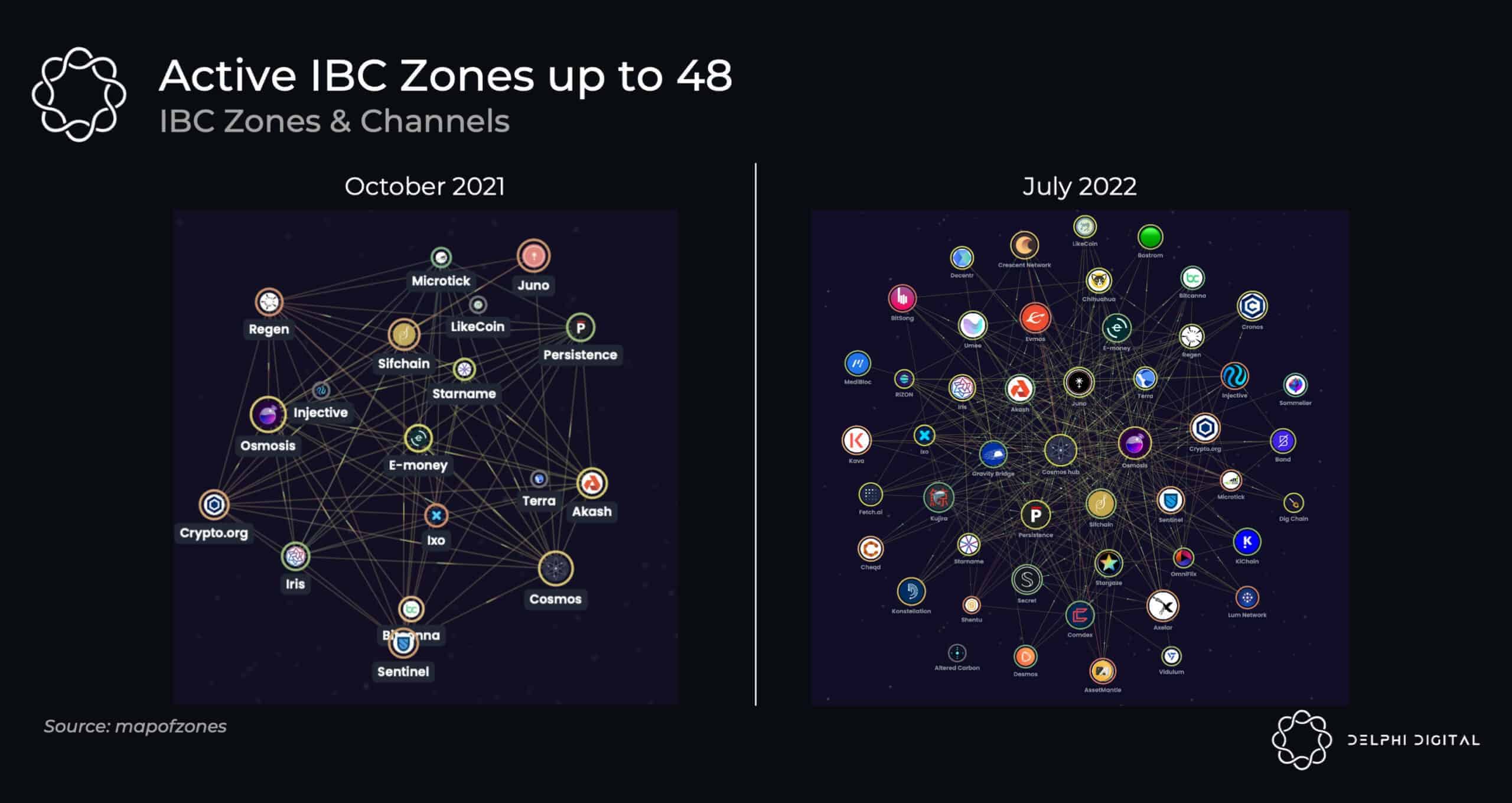
Fine-tune the relayer configuration to minimize packet forwarding delays. Adjust the max_block_time and sleep_duration parameters to balance resource usage with speed. Monitor the packet_ack latency metrics in your relayer logs. If you see high latency, consider increasing the number of relayer workers or upgrading the RPC providers used by your relayer nodes.
Integrate token transfers
Moving assets between chains relies on the ICS-20 standard, which functions as the universal language for IBC token movements. Whether you are bridging native Cosmos assets or non-Cosmos tokens like Bitcoin via IBC, the underlying mechanism remains consistent: escrow accounts lock funds on the source chain while voucher tokens are minted on the destination. This ensures that the total supply of a token across the entire IBC network remains constant and verifiable.
Configure the transfer module
Before writing code, ensure your chain's app.toml has the IBC transfer module enabled. The module handles the packet lifecycle, including the escrow logic and voucher minting. You must define the port_id (typically transfer) and ensure your relayer can access the necessary ports. For non-Cosmos chains using 7-zigzag or similar adapters, the configuration mirrors this but adapts to the external chain's RPC interface.
Implement the escrow and minting logic
When a user initiates a transfer, the source chain locks the tokens in a dedicated escrow account associated with the packet's source port. Simultaneously, the destination chain mints a "voucher" token—usually named ibc/{hash}—to the recipient. This voucher is a 1:1 representation of the locked asset. To reverse the process, the recipient burns the voucher on the destination chain, triggering a packet back to the source to release the original escrowed funds.
Handle packet acknowledgments
Your smart contract or module must implement an acknowledgment callback. This ensures that if a transfer fails (e.g., due to insufficient gas on the relayer or a validation error), the funds are not permanently lost. The acknowledgment returns a success or failure code. On success, the voucher is confirmed; on failure, the source chain must refund the escrowed tokens to the original sender.
// Example: Sending a token transfer packet
func (k Keeper) SendToken(
    ctx sdk.Context,
    channelCap capability.Capability,
    sender sdk.AccAddress,
    token sdk.Coin,
    sourcePort string,
    sourceChannel string,
    receiver string,
    timeoutHeight clienttypes.Height,
    timeoutTimestamp uint64,
) error {
    // 1. Lock tokens in escrow
    escrowAddress := types.NewEscrowAddress(sourcePort, sourceChannel)
    if err := k.bankKeeper.SendCoins(ctx, sender, escrowAddress, sdk.NewCoins(token)); err != nil {
        return err
    }

    // 2. Create packet
    packet := types.NewFungibleTokenPacketData(
        token.Denom,
        token.Amount.String(),
        sender.String(),
        receiver,
        "",
    )

    // 3. Write packet and release capability
    packetSeq := k.channelKeeper.NextSequenceSend(ctx, sourcePort, sourceChannel)
    k.channelKeeper.SetNextSequenceSend(ctx, sourcePort, sourceChannel, packetSeq+1)
    return k.channelKeeper.WritePacket(ctx, channelCap, packet, packetSeq)
}
Test with a local relayer
Use a local relayer like hermes or ibc-go's test helpers to verify your integration. Send a small test amount between two local chains and check the escrow balance on the source and the voucher balance on the destination. This confirms that the 7-zigzag or standard IBC path is correctly routing packets and that your acknowledgment logic is sound.
Add RWA and external chains
The 2026 IBC expansion moves beyond the Cosmos SDK ecosystem, enabling direct connectivity to EVM L2s, Solana, and other non-Cosmos chains via new light clients. This shift allows developers to bridge Real-World Assets (RWA) and high-throughput external protocols without relying on centralized bridges.
To connect to an EVM-compatible chain, you must configure an EVM light client within your Cosmos zone. This client verifies the EVM state root against the IBC Merkle proofs, ensuring that assets moving between chains remain secure. You will need to deploy a relayer that can read EVM logs and submit IBC acknowledgments back to the source chain.
For Solana integration, the process involves a Solana light client that validates Solana's proof-of-history and state transitions. Since Solana uses a different account model, you must map Solana Program Library (SPL) tokens to IBC fungible tokens (ICS-20). This requires a middleware layer that handles the conversion and ensures atomic swaps across the heterogeneous chains.
When building these cross-chain applications, prioritize security audits for the light client implementations. The complexity of verifying foreign consensus mechanisms introduces new attack surfaces. Test your relayer configuration extensively on testnets before deploying to mainnet to prevent stuck packets or asset loss.
Check packet delivery
Reliability is the difference between a prototype and a production cross-chain application. In 2026, as IBC expands to non-Cosmos chains, verifying that packets move correctly between heterogeneous environments is critical. You must confirm that the relay infrastructure is active, the channels are capable of handling your payload, and no assets are stuck in escrow.
The following checklist ensures your IBC setup is functioning as intended. Use these steps to audit your connection state before deploying to mainnet.
-
Verify connection state: Ensure the underlying client (e.g., Tendermint or Light Client) is syncing and the connection ID is active on both chains.
-
Check channel capability: Confirm the channel is in the OPEN state and supports the required packet types (e.g., FungibleTokenPacket).
-
Confirm escrow balance: Verify that the escrow account on the source chain holds sufficient funds for the expected transfer volume.
-
Test timeout handling: Simulate a delayed packet to ensure the timeout handler correctly refunds the sender when the packet expires.
-
Monitor relay logs: Check the relayer logs for errors such as packet-not-found or acknowledgement-not-found to catch relay failures early.
Common ibc implementation: what to check next
Developers often ask about the technical scope of the protocol and the current state of the ecosystem as IBC expands beyond the Cosmos SDK. Here are the most frequent technical inquiries regarding IBC implementation and ecosystem health.
No comments yet. Be the first to share your thoughts!